


The FXOpen Team
So, we have received the results of the contest and present the winners to you:
| Place | Account number | Country | Balance | Prize |
| 1 | 3045300 | Russia | $772.47 | $600 |
| 2 | 3045360 | Russia | $771.41 | $400 |
| 3 | 3045329 | Russia | $770.02 | $400 |
| 4 | 3045328 | Ukraine | $735.03 | $200 |
| 5 | 3044890 | Ukraine | $706.57 | $200 |
| 6 | 3045622 | Uzbekistan | $671.31 | $200 |
| 7 | 3045158 | Uzbekistan | $644.23 | $200 |
| 8 | 3045402 | Russia | $642.84 | $200 |
| 9 | 3045314 | Ukraine | $638.58 | $200 |
| 10 | 3045426 | Russia | $637.91 | $200 |
| 11 | 3045080 | Ukraine | $637.75 | $200 |
| 12 | 3045669 | Serbia | $637.32 | $200 |
| 13 | 3045372 | Russia | $625.67 | $200 |
| 14 | 3045351 | Russia | $618.77 | $200 |
| 15 | 3045483 | Ukraine | $614.9 | $200 |
| 16 | 3045332 | Russia | $611.76 | $200 |
We congratulate the winners of "Forex School"!
Please note that the prize money will be added to the winner's investment account. This money is not withdrawable and can only be used for opening a PAMM STP account. All PAMM accounts opened by the winners will automatically be eligible to take part in a new contest on live PAMM accounts that started on June 1.
How to claim your prize and take part in the "Money Managers" contest:
- Open an investment account in My FXOpen. Account currency: USD.
- Send the account number to [email protected]. The prize will be added to your investment account only after you send an email with the necessary data.
- After receiving the prize, you need to open a PAMM STP account and an offer. You can learn how to do it by clicking the links shown below. It is prohibited to hide all statistic data of your PAMM account (while opening a PAMM account, all checkboxes must be checked).
- Leave a request for the participation in "Money Managers" contest specifying your nickname and your PAMM account number in the contest thread. Please, make sure you leave your feedback in the "Forex School" thread on the forum. Here you can also discuss the results of the contest.
Useful links:
Related articles
Trading Hours Schedule for the Chung Yeung Festival
Dear Traders,
Due to the forthcoming Chung Yeung Festival in Hong Kong on Monday, 19th October 2026, the trading hours for the Hang Seng Index (#HSI) will be changed as follows (all times given are GMT+3):
Hong Kong 50
Trading Hours Schedule for Hong Kong National Day
Dear Traders,
Please be aware of the upcoming changes to trading hours due to Hong Kong National Day (all times are GMT+3):
Hong Kong 50 (#HSI)
- Wednesday, 30th September - trading until 22:00.
- Thursday, 1st October - trading
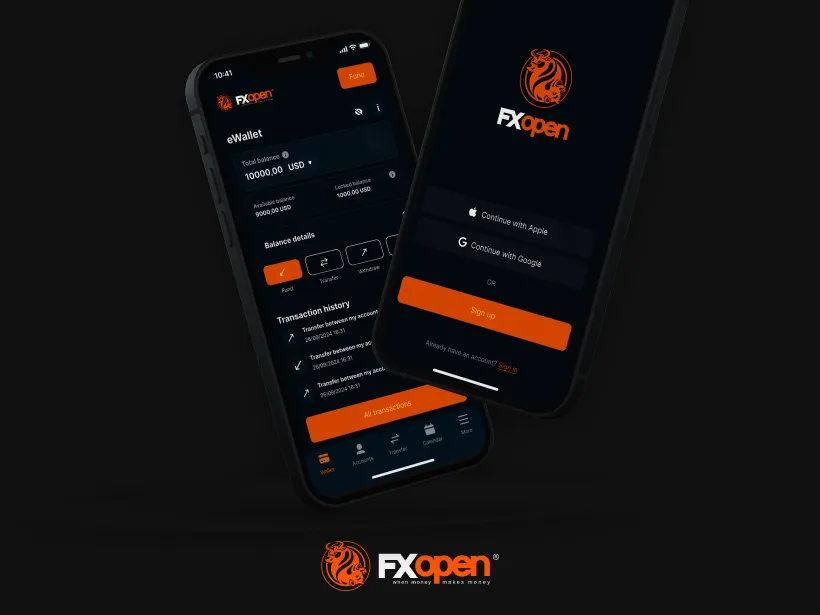
FXOpen App Now Available on Google Play
FXOpen is pleased to announce that the FXOpen App is now officially available for download on the Google Play store. Previously exclusive to the App Store, Android users can now enjoy the same powerful, mobile-first experience that puts account management